Odysseus: A Self-Hosted AI Workspace That Runs on Your Own Hardware
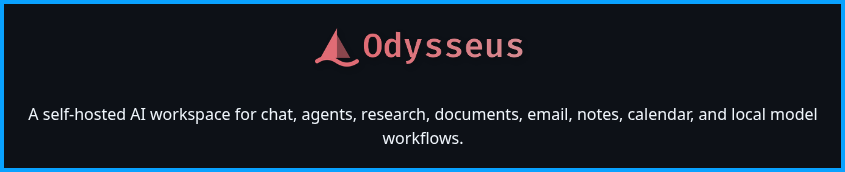
Most AI apps want a subscription and your data on their servers. Odysseus goes the other way. It's a self-hosted AI workspace for chat, agents, research, documents, email, notes, calendar, and local model workflows, all running on hardware you control. The project only started in May 2026, already has nearly 96,000 stars on GitHub, and is released under the AGPL-3.0 license.
What it is
Odysseus started as an AI chat interface and grew into a full workspace. It's a Python app you can run with Docker or natively, and it talks to whatever models you point it at: local models, existing Ollama or OpenAI-compatible endpoints, or cloud APIs if you want them. The project describes itself as local-first and privacy-first, with no telemetry.
Key features
- Chat and agents. Multi-turn chat plus agents that plan and call tools, including bash, files, web, memory, skills, and any MCP server you connect.
- Cookbook. Hardware-aware model recommendations, downloads, and one-click serving across 270+ catalogued models.
- Deep Research. Multi-step web research that reads sources and writes a cited report.
- Compare. Send one prompt to several models and compare the answers side by side, including blind testing.
- Documents. A writing-first editor with AI edits and suggestions.
- Email. An IMAP/SMTP inbox with triage, tags, summaries, reminders, and reply drafts.
- Notes, tasks, and calendar. Reminders, to-dos, scheduled agent tasks, and CalDAV sync.
- Extras. An image gallery and editor, themes, web search, sessions, and 2FA.
As an Amazon Associate I earn from qualifying purchases.
Why it matters
Self-hosted AI usually means a bare chat window. Odysseus bundles the tools that make cloud assistants useful, like memory, agents, research, and email help, into one app that keeps your context on your own machine. It's a strong fit for homelabbers, local LLM fans, and anyone who wants a private AI assistant without a monthly bill.
Getting started
The quickest path is Docker: clone the repo, copy .env.example to .env, and run docker compose up -d --build. Then open http://localhost:7011 and find the first admin password in docker compose logs odysseus. Native installs on Linux, macOS, and Windows need Python 3.11+, and the setup guide covers GPU passthrough and Ollama. The dev branch is the default and gets changes first; use main for a more curated build. Keep authentication on for any deployment reachable over a network.
View the repo on GitHub: github.com/odysseus-dev/odysseus
odysseus-dev.github.io/odysseus | Setup guide