OpenClaw
OpenClaw is an MIT-licensed personal AI assistant built around a local "Gateway," the control plane that handles sessions, tools, events, and channel connections.
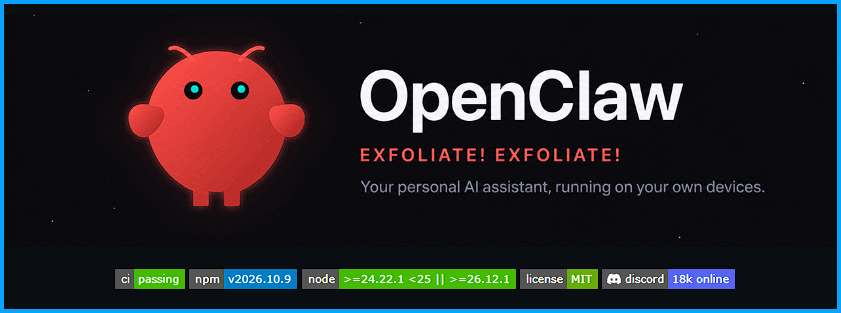
OpenClaw: The Open-Source AI Assistant That Lives on Your Own Hardware
Most AI assistants live on someone else's servers. OpenClaw flips that around: it runs on your own computer and answers you inside the chat apps you already use. Its GitHub repository has passed 393,000 stars, making it one of the most popular AI projects anywhere.
What it is
OpenClaw is an MIT-licensed personal AI assistant built around a local "Gateway," the control plane that handles sessions, tools, events, and channel connections. You can talk to it through Discord, iMessage, Slack, Teams, Telegram, WhatsApp, Signal, Google Chat, and 20+ other services, or through native apps for macOS, iOS, Android, Windows, and Linux. The same Gateway can run as a personal assistant on a laptop or as a shared team deployment; the project says configuration is the only difference.
Key features
- Your data stays home. State, memory, and credentials live on your hardware. By default OpenClaw only phones home for a daily version check, and anonymous feature stats are opt-in.
- Swappable brains. Models and agent harnesses, including Claude, Codex, and local models, are plugins you can switch without changing anything else.
- Extensible. Tools, skills, and plugins add new abilities, and the community shares them through ClawHub.
- More than text. Companion apps add voice, Canvas, camera, screen, and device-local actions on supported platforms.
- Security defaults. Unknown senders on DM-capable channels have to be paired and approved first, and sandboxing is available for tool execution.
Why it matters
OpenClaw is stewarded by the OpenClaw Foundation, an independent 501(c)(3), and it has no paid tier, hosted service, or token. For self-hosters who want an assistant that actually does things, without handing their memory and credentials to a cloud company, it's one of the most complete options out there. Just read the security guide before exposing the Gateway to other users or the internet.
Getting started
On macOS, Linux, or WSL2, run curl -fsSL https://openclaw.ai/install.sh | bash. On Windows PowerShell, run iwr -useb https://openclaw.ai/install.ps1 | iex. The installer launches an onboarding wizard that checks model access and sets up the Gateway, and openclaw dashboard then opens the Control UI so you can send your first message.
View the repo on GitHub: github.com/openclaw/openclaw
openclaw.ai · Docs · Getting started guide · OpenClaw Foundation